Optimize Your Monster Hunter Wilds Gameplay with These Settings on Claw 8 AI+
Laptops
Monster Hunter Wilds is taking the gaming world by storm! Not only did it break Steam’s record for concurrent players, but Capcom also announced an astonishing 8 million copies sold within just three days, making it one of the fastest-selling titles in the company’s history.
Of course, this AAA star runs smoothly on the MSI Claw 8 AI+, delivering an immersive hunting experience whether you play at 800p or 1200p resolution. Thanks to the powerful hardware of Claw 8, you can enjoy fluid gameplay wherever you are.
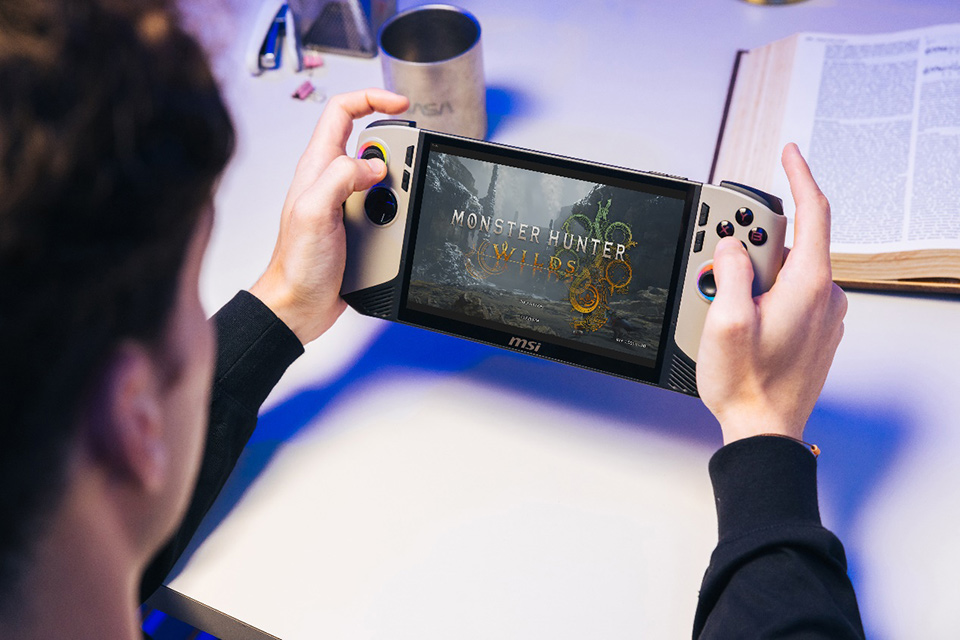
▲ MSI Claw 8 AI+ runs Monster Hunter Wilds even smoother than you imagined!
Of course, every gamer has different preferences when it comes to their ideal gaming experience. Below, we provide a few optimized settings for your reference.
**Please note that Arc driver should be above 32.0.101.6632 version for the best performance.
For Visual-Oriented Players:
If you prioritize visual quality, we recommend setting the resolution to 1920x1200P, Graphics Settings to “Low”, and enabling “AMD FSR 3” with “Frame Generation”. Set Upscaling Mode to “Ultra Performance” and disable “Ray Tracing”. With these settings, you can achieve an FPS range of 52 to 57.
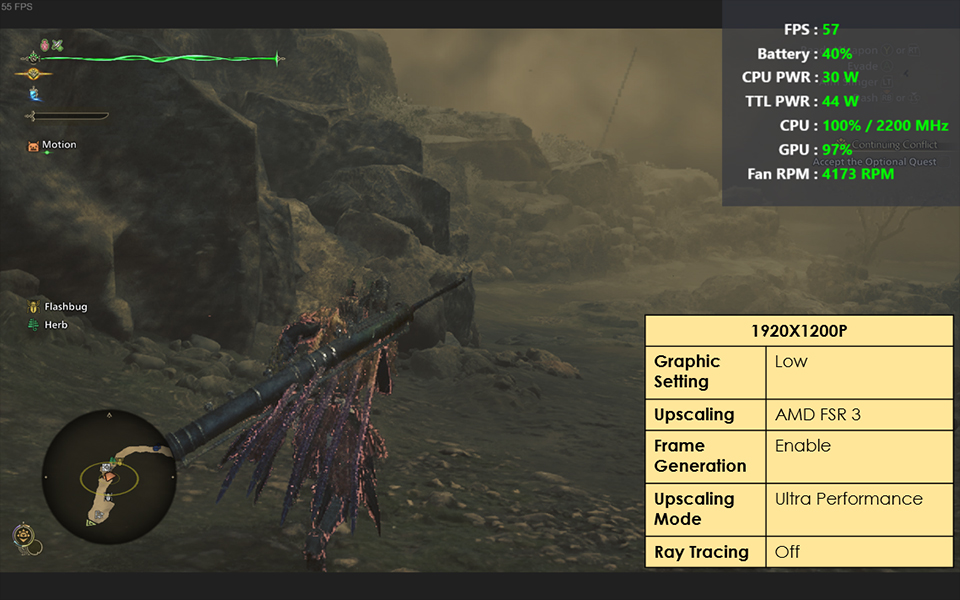
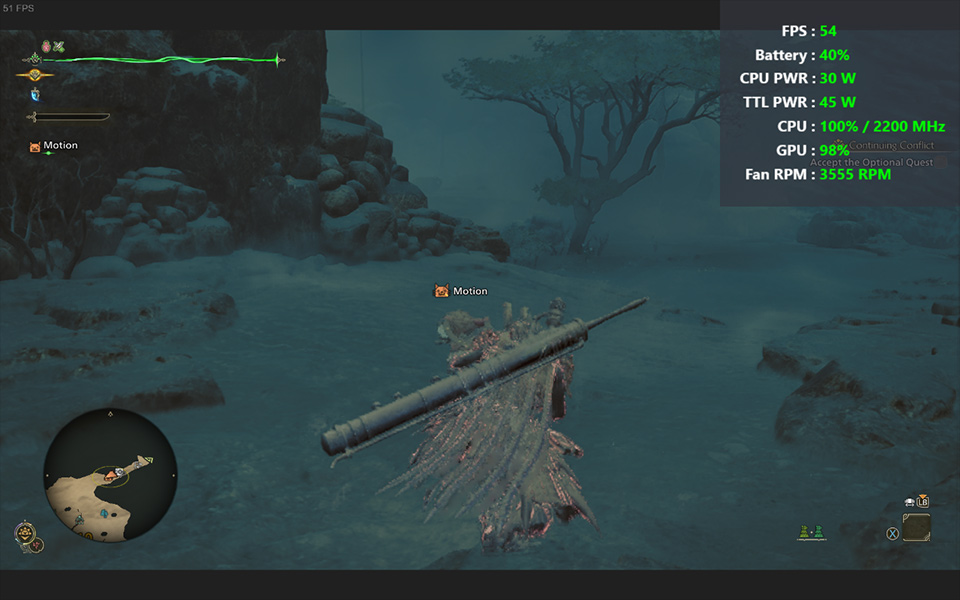
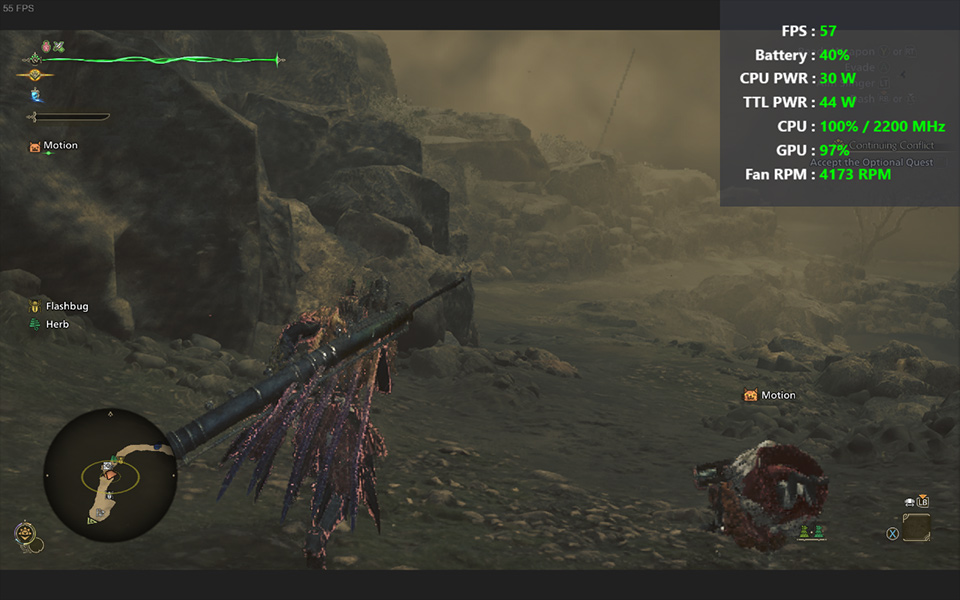
▲ At 1200p, when choosing AMD FSR 3 for upscaling, the actual gameplay performance is around 52 to 57 FPS.
For Performance-Oriented Players:
If you prefer a smoother gameplay experience and are willing to sacrifice some visual quality, set the resolution to 1280x800P, keep Graphics Settings on “Low”, and enable “AMD FSR 3” with “Frame Generation”. Again, set Upscaling Mode to “Ultra Performance” and disable “Ray Tracing”. With these settings, you can expect an FPS range of 63 to 66, with certain scenes even exceeding 80 FPS in real gameplay.
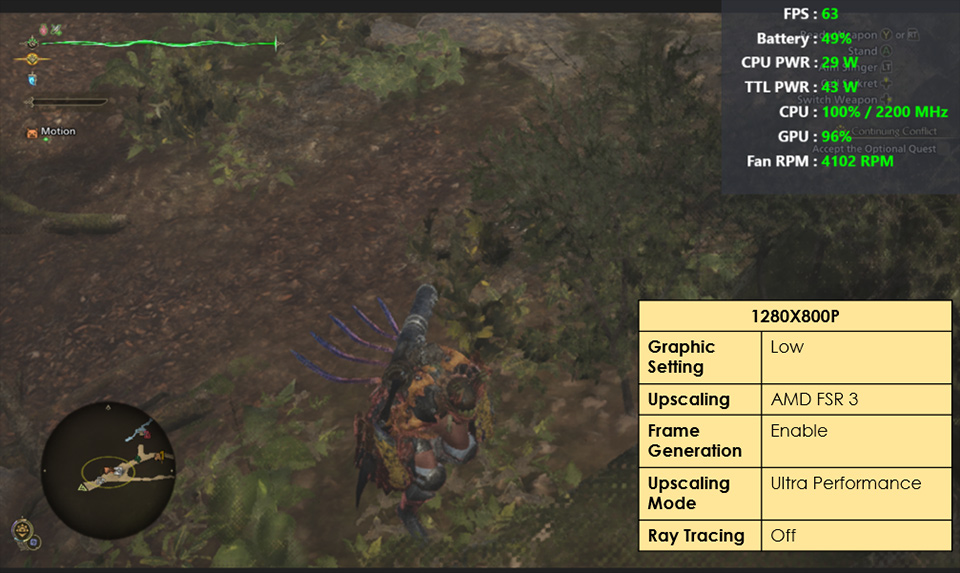
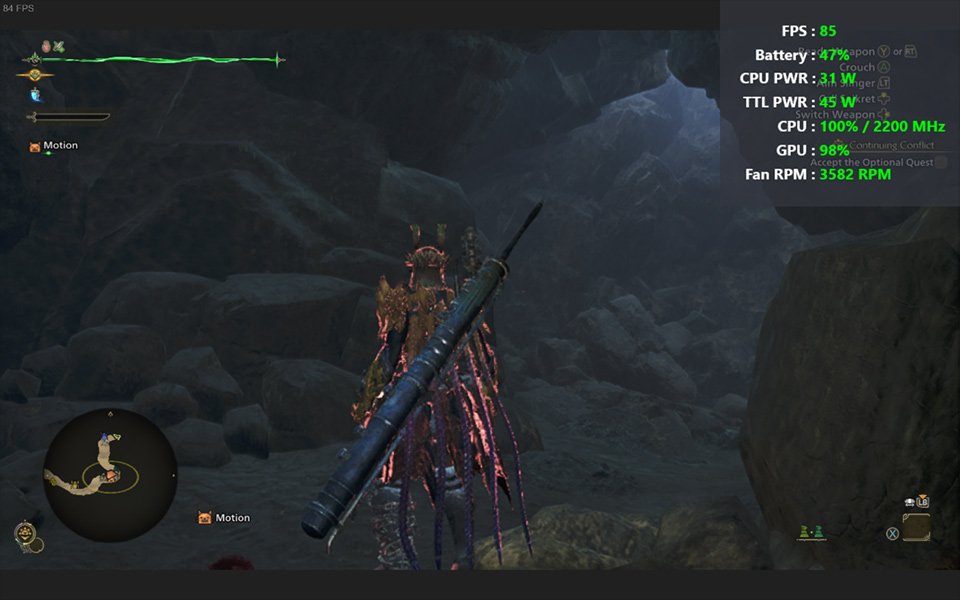
▲ At 800p, using AMD FSR 3 for upscaling results in actual gameplay performance of around 63 to 66 FPS, while certain scenes will reach over 80 FPS
During our testing, we made an interesting discovery: If you prioritize higher FPS in gameplay, we recommend using “AMD FSR 3” with "Frame Generation" for upscaling. However, if you prefer fewer visual artifacts and a cleaner image, “XeSS” would be the better choice.
Hope this guide enhances your Claw 8 gaming experience—Happy Hunting!